
Download and install samba189
We offer three installation paths for samba189. Android users download the APK file directly from our site and install it on their device. iOS users access samba189 through Safari or Chrome, then add the web app to their home screen for app-like experience. Web users visit samba189.app in any browser on desktop or mobile.
Installation steps for samba189
- Download: For Android, download the APK file from our site; for iOS, open Safari and navigate to samba189.app; for web, visit samba189.app in any browser.
- Install: Android users tap the APK file and follow the prompts; iOS users tap Share and select Add to Home Screen; web users bookmark the page.
- Register: Open samba189, enter your username, email, password, and mobile number, then agree to our terms and conditions.
- Start: Verify your account via email, complete KYC, deposit using your preferred payment method, and access football markets, live-dealer tables, and slot games.
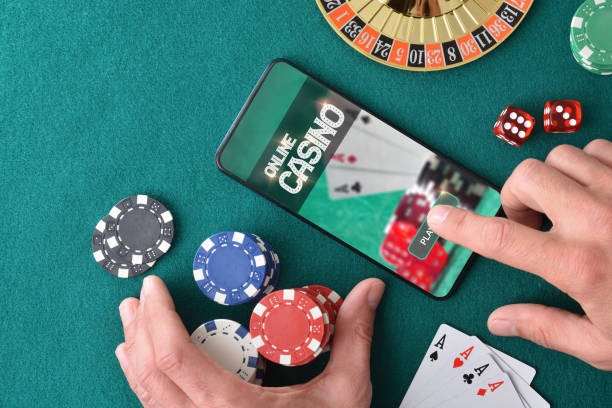
App versus browser: which is right for you
The samba189 app (Android APK) offers offline caching, so market data loads faster even on slower connections. Push notifications alert you to live football updates, settlement results, and account activity. The app stores your login session, so you do not need to re-enter credentials each time. App performance is optimized for touch, with larger buttons and swipe navigation.
The web browser works on any device without installation. You access the same account, markets, and payment methods as the app. Browser access is useful if you prefer not to install software or if you use multiple devices. Both paths offer the same security, encryption, and account protection.
App strengths
- Offline caching for faster loads
- Push notifications for live updates
- Persistent login session
Browser strengths
- No installation required
- Works on any device
- Same account and markets
Device compatibility for samba189
The samba189 Android app requires Android 7.0 or higher. Most Android phones released in the past five years meet this requirement. The iOS web app works on iOS 12 and above, covering iPhone 5s and newer models. Web browser access works on any device with a modern browser: Chrome, Safari, Firefox, or Edge on desktop, tablet, or phone.
Common installation issues and solutions
Android users may see a warning about "unknown sources" when installing the APK. This is normal — Android requires permission to install apps from outside the Play Store. To proceed, go to Settings > Security > Unknown Sources and enable it. After installation, you can disable this setting again. Some Android devices require you to trust the certificate; if prompted, select "Install anyway" or "Trust this certificate."
iOS users adding samba189 to their home screen may see a message about "untrusted developer." This is not a security issue — it is a standard iOS prompt for web apps. Tap "Add" to proceed. If the app does not appear on your home screen, check that you have enough storage space and that you completed the "Add to Home Screen" step correctly.

Data, permissions, and account security on samba189
The samba189 app requests permission to access your device's storage (for caching market data), contacts (for account recovery), and notifications (for live updates). We do not access your photos, messages, or other personal files. Your login credentials are encrypted and stored securely on your device. Your account data is encrypted in transit using TLS (Transport Layer Security).
When you register on samba189, we collect your email, username, password, date of birth, identity document number, and mobile number. This information is used for account verification (KYC), fraud prevention, and compliance with anti-money-laundering regulations. Your payment method details (DANA, e-wallet, mobile banking, local payment, online payment, e-wallet, mobile banking, local payment, online payment, e-wallet) are processed by our payment partners and are not stored on our servers in plain text. For details on how we handle your data, refer to our privacy policy.
- App permissions
- Storage for caching, contacts for recovery, notifications for updates.
- Login security
- Credentials encrypted on device; session tokens expire after inactivity.
- Payment security
- Payment details processed by partners; not stored in plain text on our servers.
- Data protection
- All data in transit encrypted with TLS; stored data protected with standard security practices.